Step 1
Connect Teams coverage
Configure source coverage, discover channels and chats, and run the first scan.
How it works
A short operator flow: connect, reconstruct, review, export.
Step 1
Configure source coverage, discover channels and chats, and run the first scan.
Step 2
Group requests, approvals, exceptions, and execution into one entity-linked chronology.
Step 3
Auto-publish clear evidence, sample edge cases, and export the final narrative report.
Intake
Synthetic example
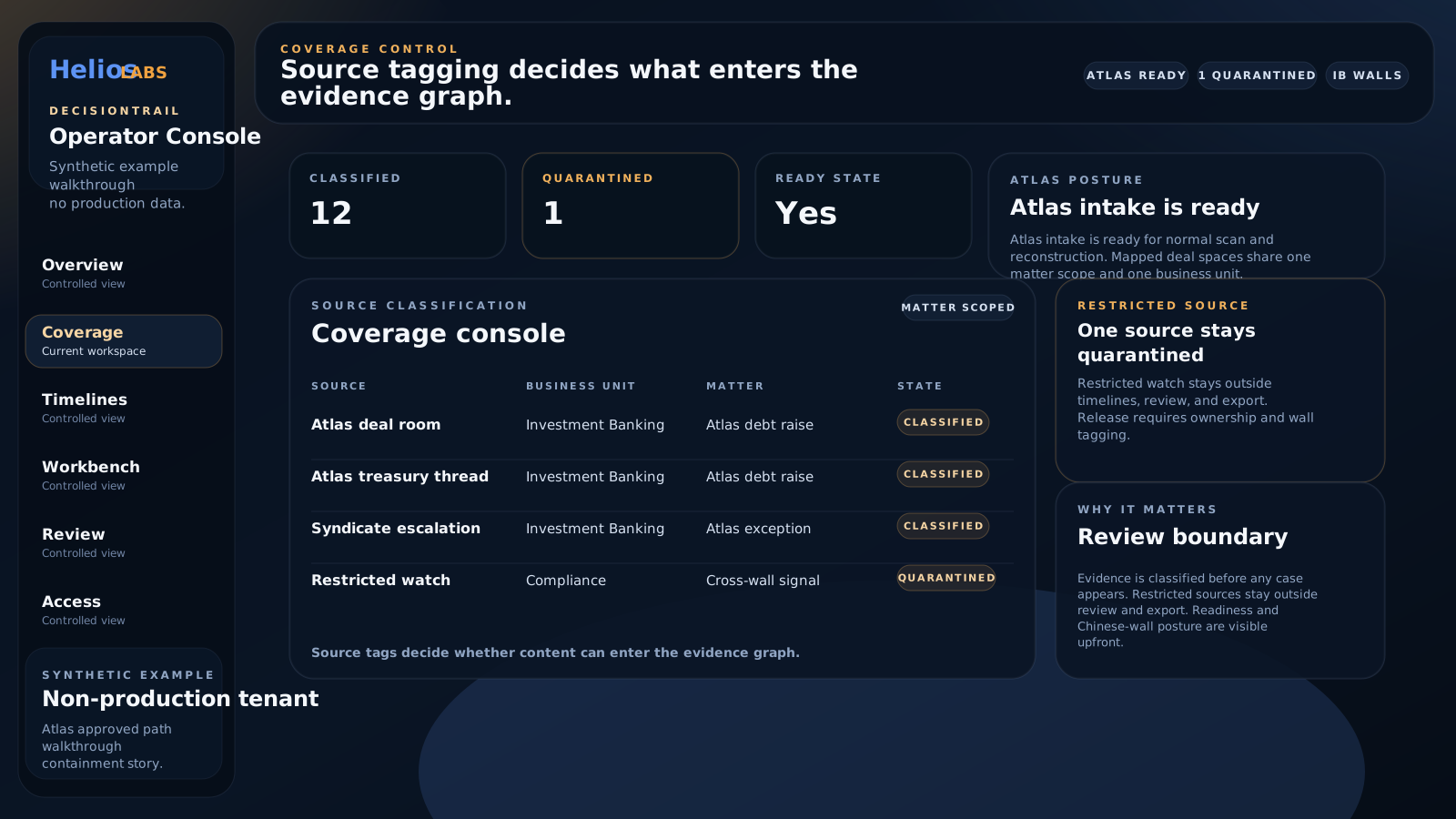
Source tagging confirms which Teams surfaces enter the evidence graph and which remain outside the evidence boundary.
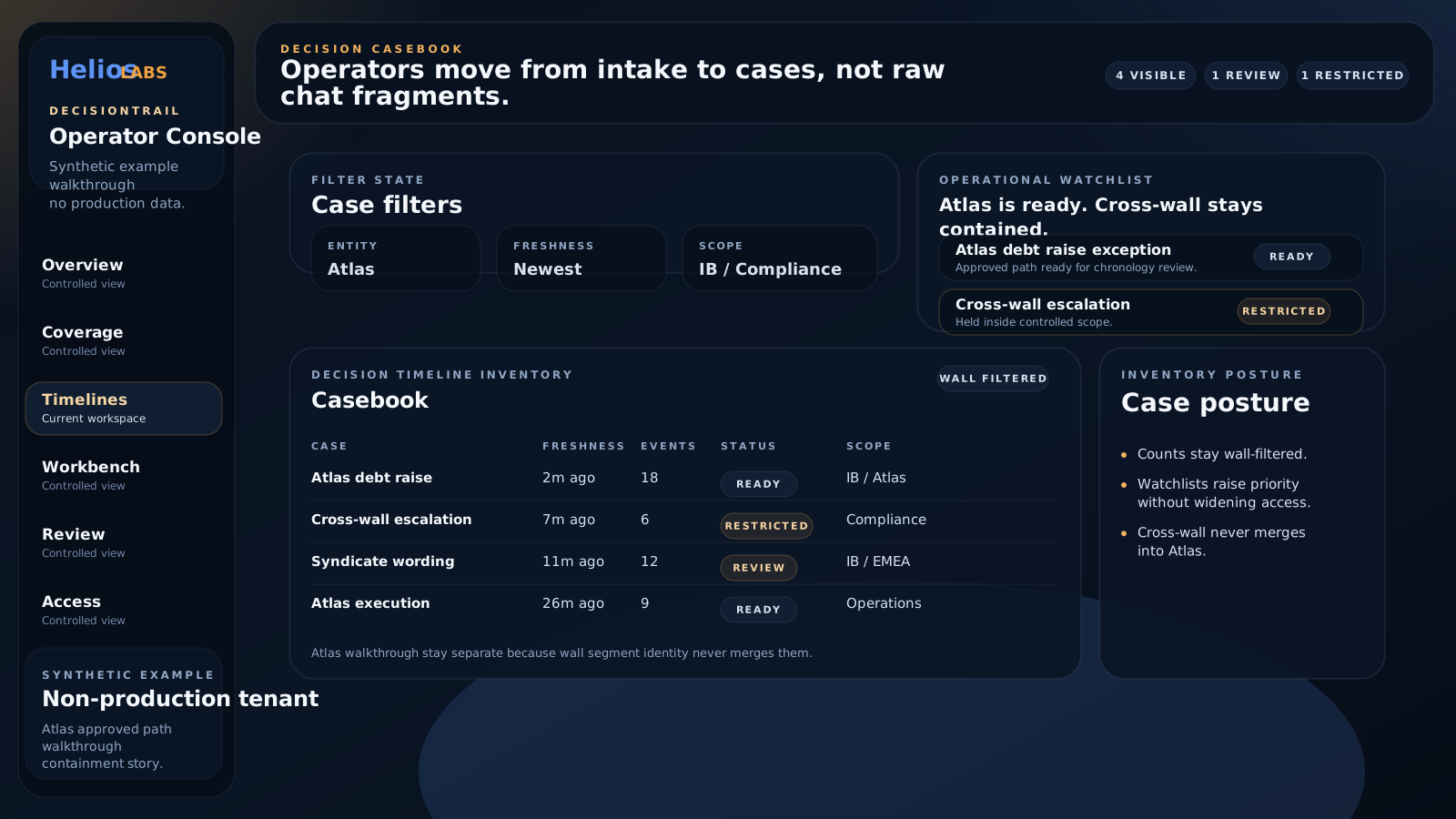
Sample decision timeline
The casebook separates a ready decision path from a restricted cross-wall case before review.
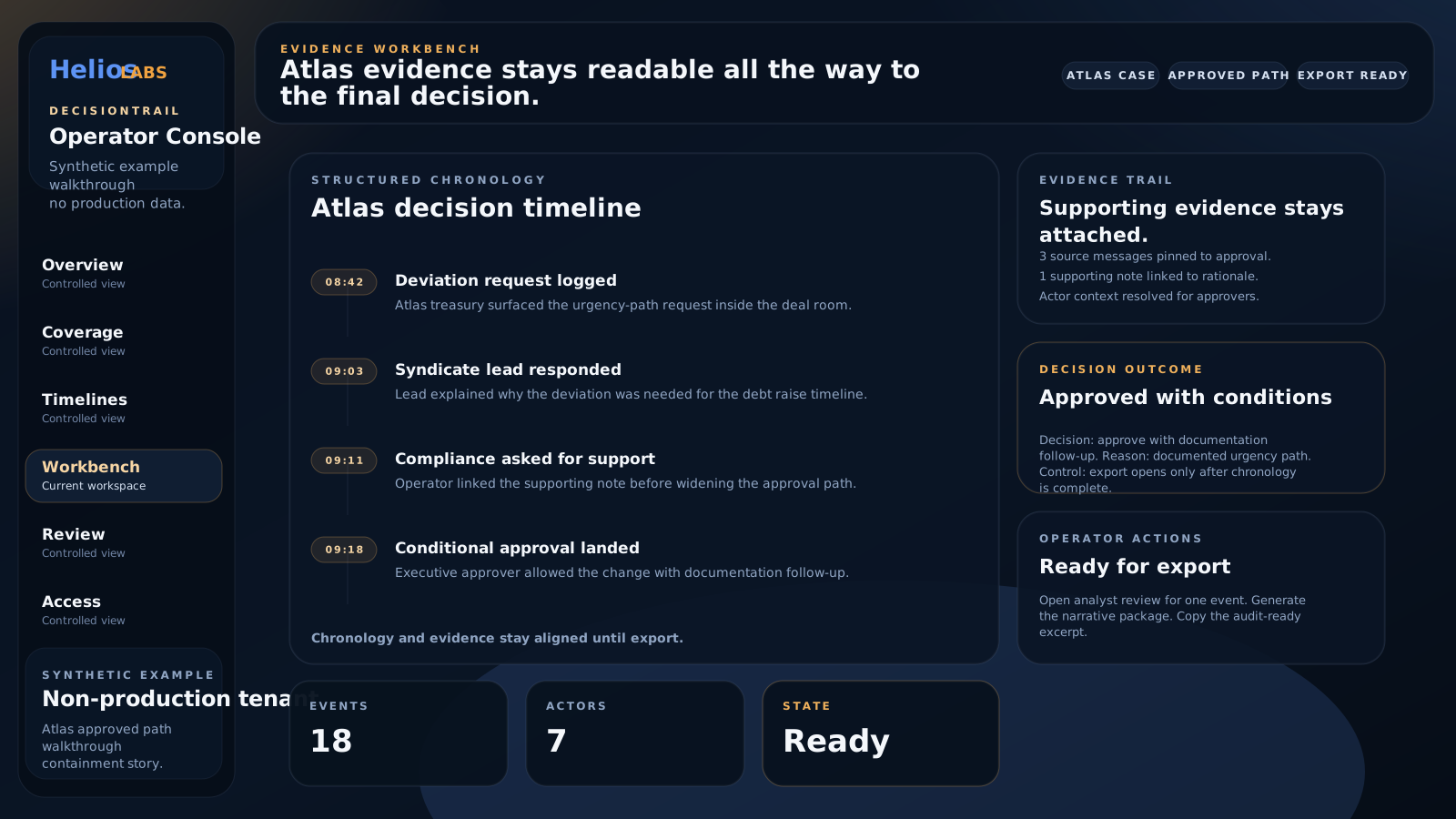
Synthetic example
The workbench aligns chronology, supporting evidence, operator actions, and outcome in one surface.
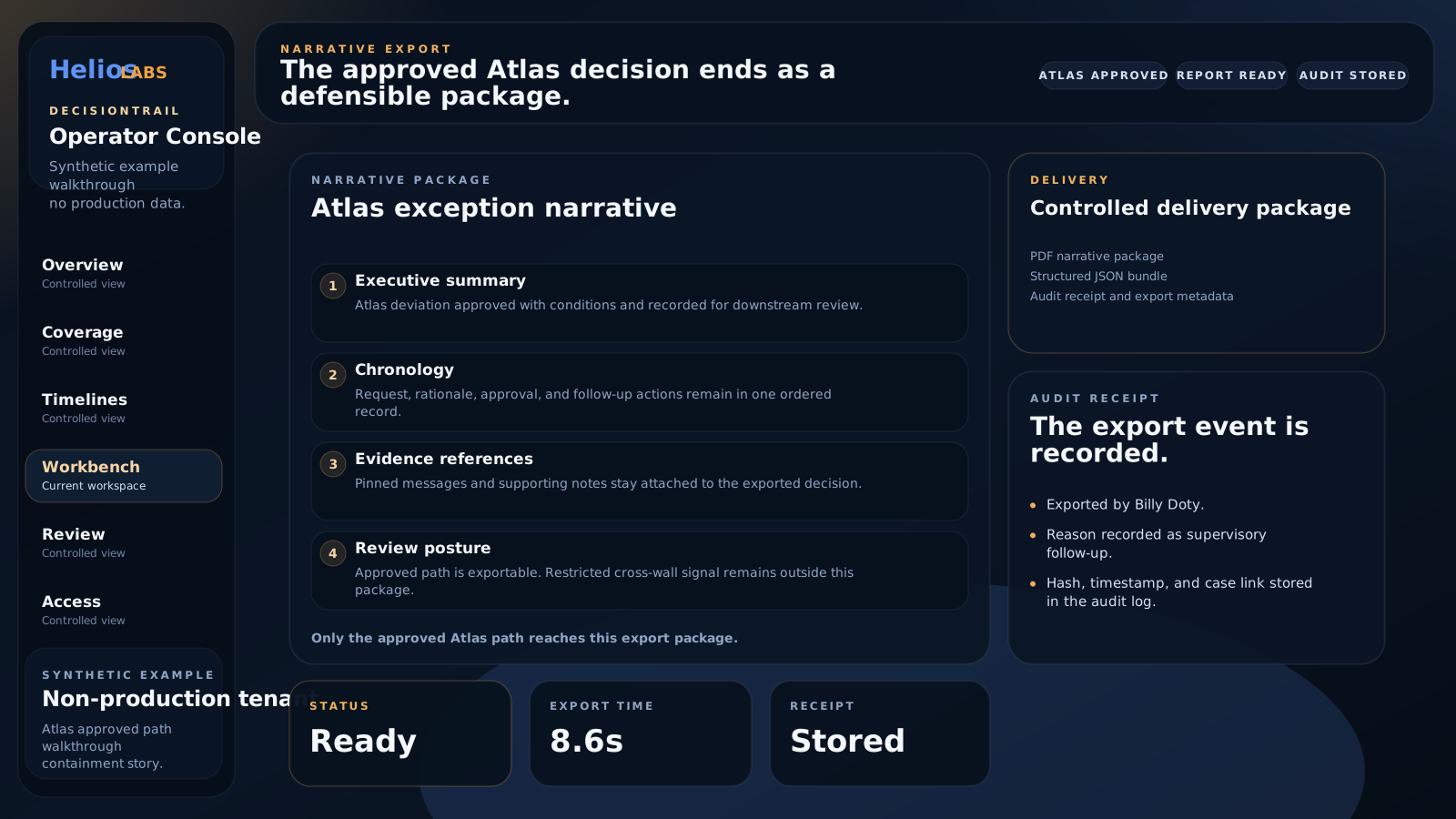
Sample narrative report
The sample export shows summary, chronology, evidence references, review posture, and audit receipt.
Trust controls
Default mode
The main path is automatic, with QA sampling used to keep trust high.
Optional mode
Clients can require more manual review for selected workflows or categories.
Always on
Review actions, changes, and exports stay visible for oversight and governance.
Outputs
Timeline
The operator sees one decision path instead of disconnected message fragments.
Review
Edge cases surface in a queue without turning the whole product into a manual review path.
Export
The result is a usable report with chronology, actors, rationale, and source references.
Walkthrough